Vehicle inventory
Manage owned and consignment vehicles. See the current status, prices and deal history for each vehicle.

Track your dealership’s vehicles, costs, sales and results in CarFoundry PRO.
Manage owned and consignment vehicles. See the current status, prices and deal history for each vehicle.
Assign transport, servicing, cleaning and listing costs to each vehicle. After a sale, see the result after costs.
Record the actual sale price. For consignment vehicles, track your fee and the amount due to the owner.
Keep paperwork and photos together on each vehicle record.
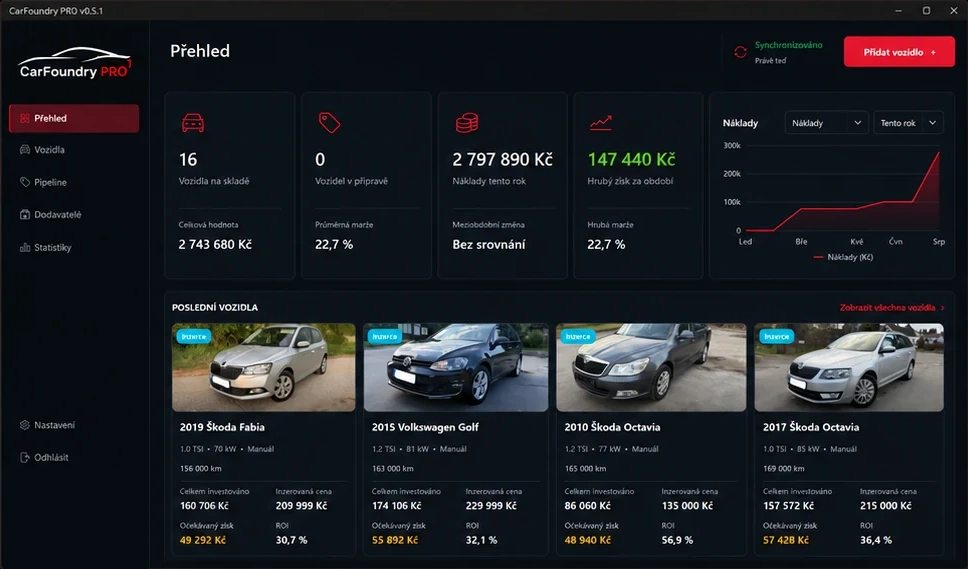
Track the value of owned stock, revenue and profit on completed sales for a selected period.
Online mode syncs data for the selected company. In local mode, data is stored on the PC where you work.
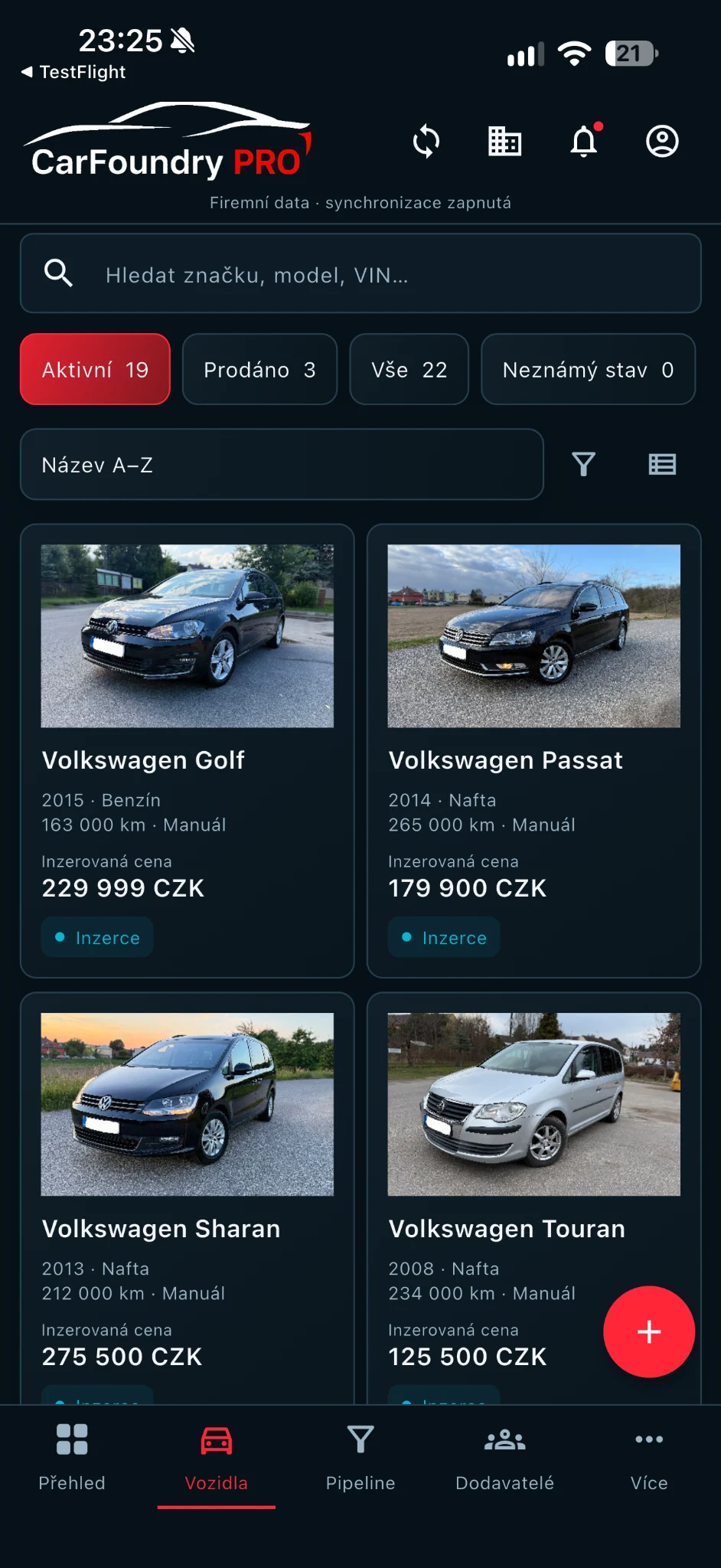
Actual screenshots of the CarFoundry PRO desktop and mobile apps.
The dashboard brings together stock, costs, results for the period and photos of recently added vehicles.
Browse vehicles by their photos. See key details, the price and current status on every card.
Keep the final sale price and result together for every sold vehicle. Active listings stay in the same overview.
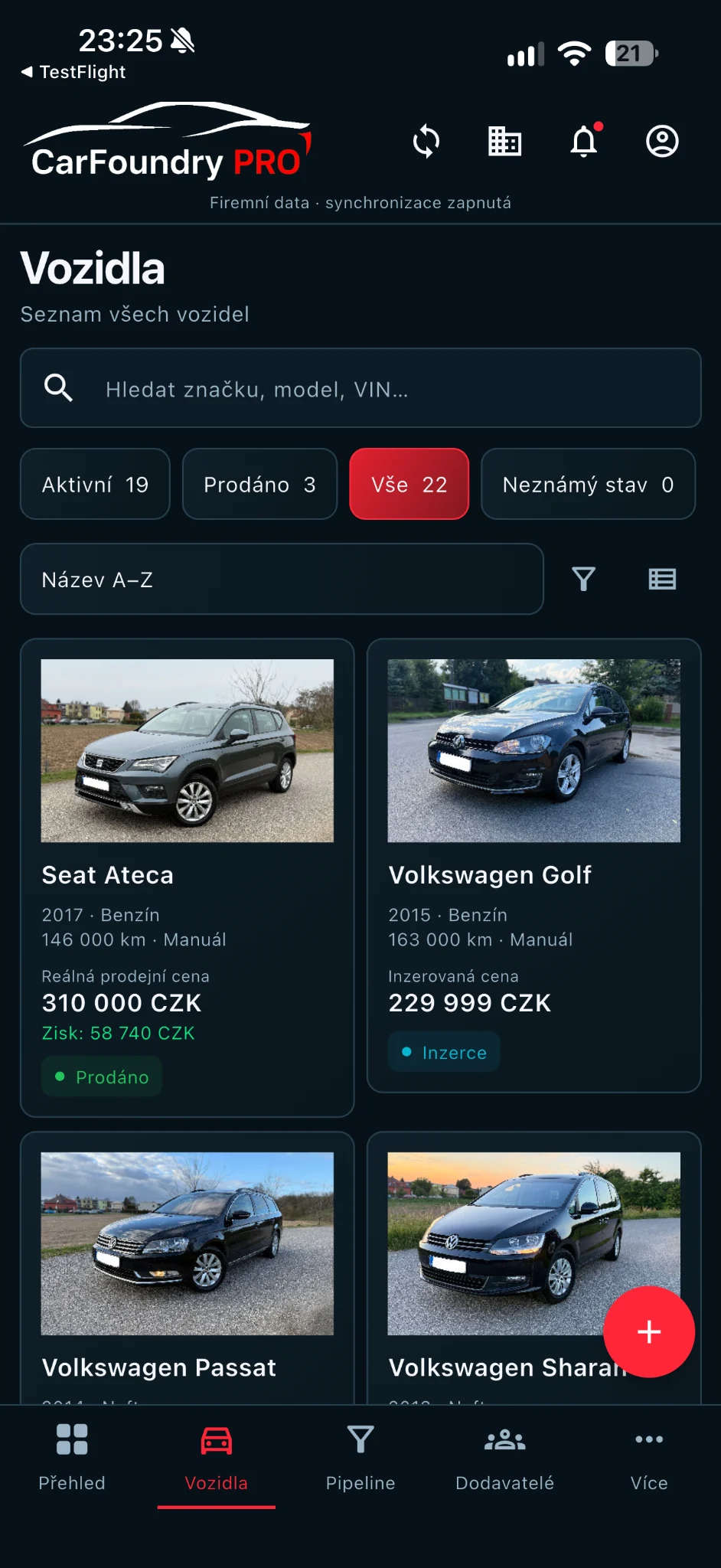
Screenshots show earlier versions of the app in Czech.
Each step belongs to a vehicle. Its costs stay with the deal through to completion.
Purchase price and documents establish the deal.
Record delivery and its cost against the vehicle.
Tasks and service determine readiness for sale.
Asking price and photos prepare the offer.
Record the final price and the deal result.
Separate your commission fee from the owner’s proceeds.
Keep your vehicles, photos and key details at hand when you are away from your desk. The mobile app connects work at the vehicle with your company data on desktop.
The iPhone app is in development and will be available soon.